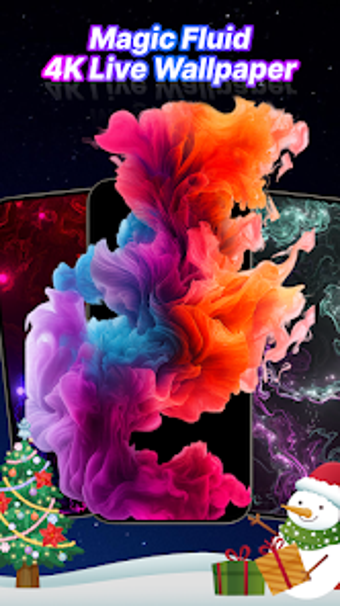
Flow Simulation Live Wallpaper turns Android screens into fluid art
Flow Simulation Live Wallpaper, from GjangHa, turns Android backgrounds into interactive fluid art for personalization and calm. The app simulates real-time fluid dynamics that respond to touch and swipe, producing vibrant colors and smooth animations across home and lock screens while using physics-based motion. Its interface guides users through applying wallpapers, customizing effect intensity, and exploring presets, color palettes and playback speed controls, offering immediate tactile feedback. Designed for Android users who enjoy device customization, it appeals to people seeking a calming, visually engaging screen experience.
Turns your idle screen into an interactive, calming display
The app is an interactive personalization tool that converts a static phone surface into a reactive visual canvas. Interaction happens through **touch and swipe mechanics** that generate unique flow patterns, so short, repeatable gestures produce different results each time. Practical daily uses include brief relaxation breaks, an ambient backdrop during focused work sessions, and a playful lock-screen greeting. Users can treat it as a quick visual reset between tasks.
Applies to home and lock screens with straightforward setup
Applying a simulation is handled directly inside the app, which supports both home screen and lock screen live wallpaper settings. The interface walks users through choosing and setting a wallpaper without extra tools, making the change immediate. Note that the app targets Android broadly, and specific version requirements vary by device, so compatibility can differ between older and more recent handsets.
Designed for short, tactile interactions and low-friction exploration
Onboarding favours exploration rather than deep configuration, with an approach that encourages tapping and swiping to discover effects. The developer emphasizes a calming, meditative experience, and the app's navigation focuses on quick adjustments rather than complex menus. Accessibility specifics are not detailed, so the app best serves casual customizers, weekend tinkerers, and people who use visual stimuli for brief stress relief or focus shifts.
Delivers vivid physics-driven motion that users praise for smoothness
Visual quality centers on high-fidelity flow simulation and vibrant palettes, supported by real-time physics-based dynamics. The app is noted for smooth animations and intricate movement, which contributes to its relaxing effect. User reception highlights the pleasing motion and reliable frame-to-frame transitions, though actual performance depends on the device's capabilities and Android release, since optimizations apply to modern hardware and software environments.
To sum up, a calming, hands-on choice for visual personalization
To sum up, Flow Simulation Live Wallpaper is a calming option for Android users who want a tactile, visually engaging screen for short breaks and ambient focus. It fits people who prefer interactive backgrounds and brief, meditative interactions. Consider trying it briefly on your device to judge responsiveness, since compatibility and smoothness depend on the particular Android build and hardware in use.